



The link to download the PDF coupon on the My Account page#
If the coupon has been generated for the order, you will find a link to download it on the My Account page.
Go to the My Account page and choose the Orders tab. Open the order with a coupon.
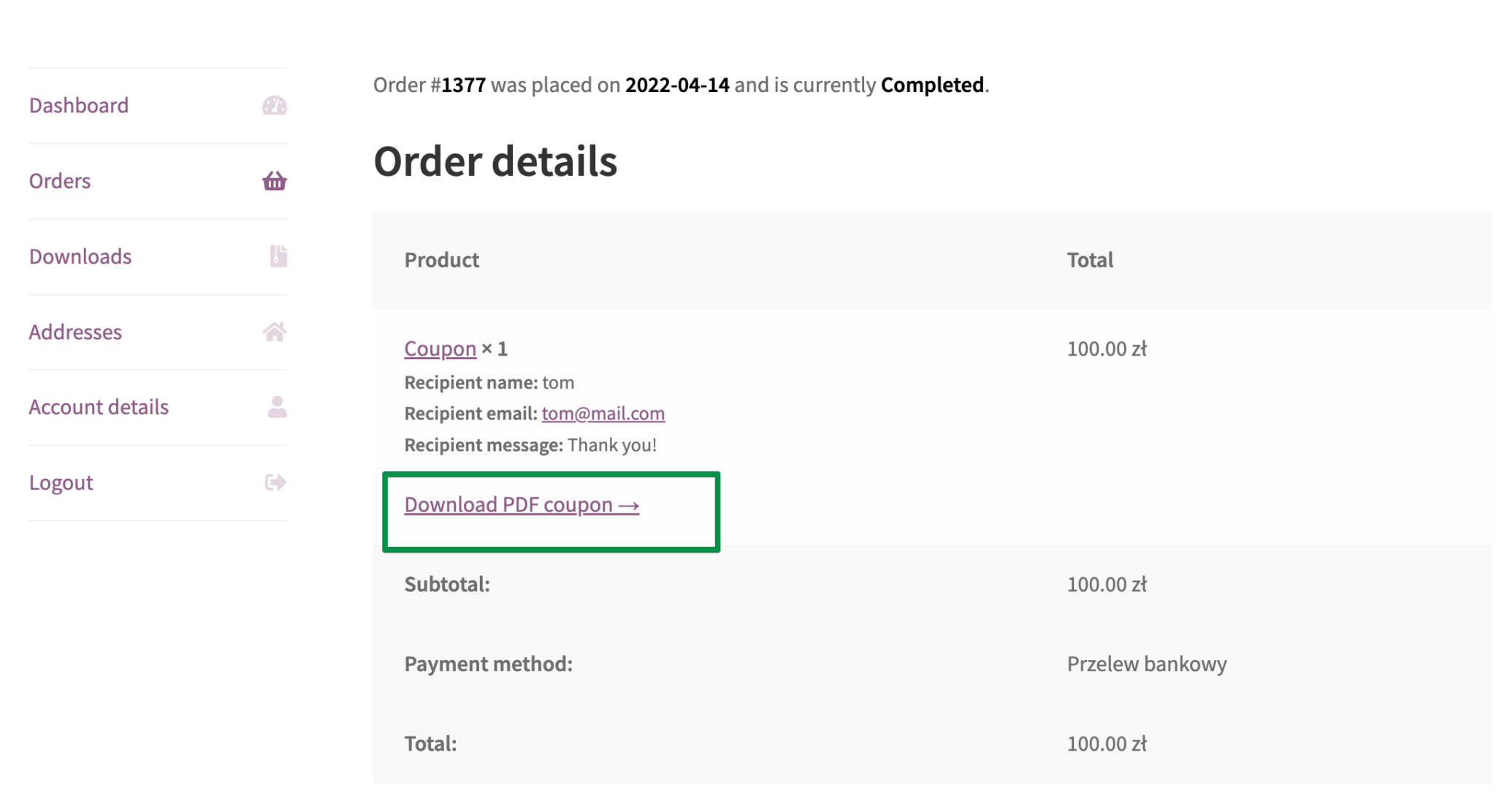
You can download the PDF coupon from two places:
- Click Download PDF coupon below the relevant product in the order details.
- Find the coupon in the PDF Coupons table below the order details and click the download icon in the last column.
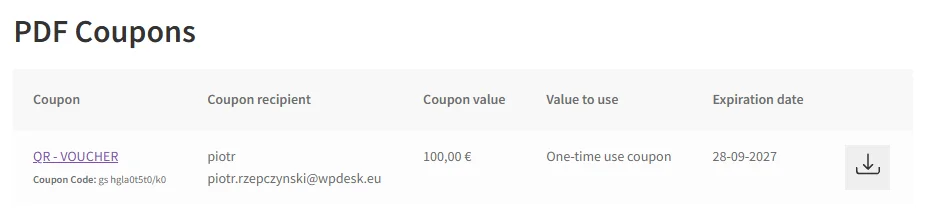
Differences in download link visibility#
The download link next to an order item and the PDF Coupons table use different display conditions.
The table checks the current product settings. If the product is no longer marked as a PDF coupon, or PDF coupons have been disabled for the purchased variation, the coupon will not appear in the table.
The Download PDF coupon link next to the order item does not check these settings, so it may remain visible for a previously generated coupon even when the table no longer lists it.