




PDF gift cards in WooCommerce turn standard coupons into branded products customers can purchase, receive by email, print, and redeem. With Flexible PDF Coupons, you can design gift cards, vouchers, and tickets without coding while keeping coupon generation and order processing inside WooCommerce.
Flexible PDF Coupons WooCommerce
Design PDF coupons and sell them as gift cards, printable vouchers, service credits, or event tickets. Start with the free plugin and upgrade when you need recipient details, personalized messages, expiry settings, and more advanced delivery options.
WP Desk
In this guide, you will learn:
- How WooCommerce coupons and PDF gift cards differ
- How Flexible PDF Coupons works with WooCommerce
- Which gift card features are available in the free and PRO versions
- Which businesses can sell PDF vouchers
- How a service business can use WooCommerce gift cards
- How to create PDF gift cards step by step
- Key takeaways
WooCommerce coupons and PDF gift cards
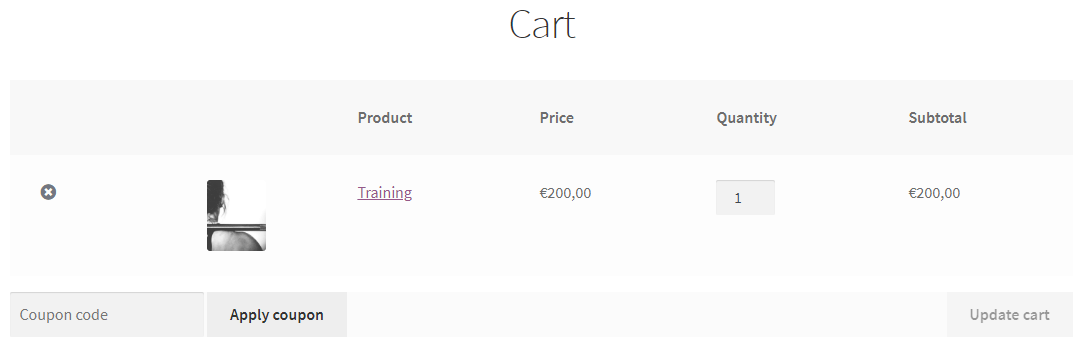
WooCommerce includes a coupon system that lets customers enter a code in the cart or at checkout. Depending on the coupon configuration, the code can provide a discount and be subject to conditions such as an expiry date, minimum order value, permitted email addresses, or usage limits. You can explore these settings in our complete guide to creating WooCommerce coupons.

A standard coupon code is practical, but it is not automatically a customer-facing gift product. A WooCommerce PDF gift card adds a designed document that can contain the coupon value, code, branding, and other relevant information. The customer receives something suitable for forwarding, downloading, or printing rather than only a plain discount code.
This approach can support several product types:
- gift cards for online or physical retail stores,
- printable vouchers for salons, spas, gyms, and service providers,
- service credits for consultations, courses, or training sessions,
- experience vouchers for trips, reservations, and venues,
- PDF tickets for events.
Create PDF gift cards with Flexible Coupons
Our Flexible PDF Coupons plugin connects a designed PDF document with a WooCommerce product and coupon. This lets you add a gift card or voucher to your catalog in much the same way as another product, while WooCommerce continues to handle the order.

The graphic editor allows you to prepare a reusable template. You can set the PDF size, arrange the layout, add text and images, and insert available shortcodes for dynamic coupon information. This gives merchants control over how the document looks without requiring custom code.

Once the template is assigned to a product, the plugin can generate the PDF gift card for the associated WooCommerce order. Depending on your configuration and plugin version, it can then be sent to the customer or a specified recipient.
You can install the free Flexible PDF Coupons plugin to build the basic workflow and test how PDF coupons fit your store.
Flexible PDF Coupons free vs. PRO
The free version provides the foundation for creating PDF coupon products. Flexible PDF Coupons PRO is intended for stores that need more personalization and control over recipients, customer-facing fields, expiry information, and email content.
| Feature | Flexible PDF Coupons | Flexible PDF Coupons PRO |
|---|---|---|
| Graphic editor | ||
| Template shortcodes | Coupon value Coupon code |
Coupon value Coupon code Coupon expiry date Product name Customer name Customer address Recipient message Recipient email Recipient name Site URL |
| Gift card delivery | Customer | Customer or a different recipient email address |
| Gift card templates | ||
| Automatic sending for a selected order status | ||
| Recipient name, email, and message fields | ||
| Editable coupon expiry date | ||
| Emailing the gift card to the recipient | ||
| Editable email content | ||
| Plugin | Flexible PDF Coupons | Flexible PDF Coupons PRO |
Choose the free version if you need a straightforward way to design and generate PDF coupons for customers. Consider PRO when buyers should be able to enter a recipient’s details, add a personal message, send the gift directly to another email address, or when you need additional dynamic information in the template.
Flexible PDF Coupons PRO WooCommerce
Create more personalized PDF gift cards and vouchers with recipient fields, additional shortcodes, expiry settings, and greater control over email delivery.
WP Desk
Before choosing a version, map the complete purchasing journey: who buys the voucher, who should receive it, which information must appear in the PDF, and when delivery should happen. You can also review the changes described in the Flexible PDF Coupons PRO 2.4.0 update overview.
When should you sell gift cards in WooCommerce?
WooCommerce gift cards and printable vouchers are useful whenever customers may want to purchase value, a service, or an experience for someone else. They can also help when the buyer does not know which exact product, date, or service variant the recipient would prefer.
Relevant business examples include:
- Retail stores: fashion, cosmetics, books, electronics, homeware, and pet products.
- Salons and spas: treatments, beauty services, massages, and service packages.
- Gyms and trainers: consultations, classes, personal training, and membership credit.
- Course providers: lessons, workshops, digital training, and consultations.
- Restaurants and food businesses: meal vouchers, delivery credit, and tasting experiences.
- Event organizers and venues: admission products and PDF event tickets.
- Travel and leisure businesses: trips, reservations, transport services, and experiences.
- Marketplaces: branded gift products for eligible goods or services.

The same workflow can support seasonal products, but gift cards do not have to be limited to holidays. Birthdays, anniversaries, employee rewards, thank-you gifts, and last-minute purchases can create year-round demand for downloadable vouchers.
WooCommerce gift card example for a service business
Consider a gym owner who also provides personal training and nutrition consultations. Customers may want to give one session to a friend, but a standard WooCommerce product page alone does not provide a presentable document to hand over.
The business can create a product such as “Personal Training and Nutrition Consultation Gift Voucher.” The associated PDF template can display the service name, coupon value or code, gym branding, and redemption details. With PRO, the buyer can also provide the recipient’s name, email address, and personal message.
After checkout, WooCommerce creates the order. The gift card is generated according to the selected template and the configured order status. The customer or recipient can then receive the PDF and present its coupon code when booking or paying for the service.
This model also works for hair appointments, spa treatments, photography sessions, workshops, venue admission, and other services where a printable WooCommerce voucher is more useful than a simple product confirmation.
How to create PDF gift cards in WooCommerce
-
Design a PDF gift card template
Open the Flexible Coupons graphic editor and prepare the visual structure of your gift card. Set the document size, add text and images, arrange the layout, and use the shortcodes available in your plugin version.

Keep essential redemption information easy to find. The coupon code, value, service name, and any applicable validity information should remain readable when the PDF is viewed on a phone or printed.
For a closer look at the design options, read our guide to customizing and optimizing WooCommerce gift cards.
-
Create the WooCommerce gift card product
Add or edit a WooCommerce product and assign the prepared PDF template. Configure the product information so customers understand exactly what the voucher covers and how it can be redeemed.

Recipient name, email, personal message, and editable expiry options require the PRO version.
-
Publish the gift card in your store
Once published, the voucher appears in your catalog and customers can add it to the cart like another WooCommerce product.

-
Process the WooCommerce order
When the customer completes checkout, WooCommerce creates a standard order. The order provides the context needed to generate the coupon and connect it to the selected PDF template.

-
Automate gift card generation and sending
You can configure generation and sending for a selected WooCommerce order status. This reduces manual work and helps ensure that the document is sent at the appropriate stage of order processing.

-
Deliver the PDF gift card
In the free version, the gift card can be sent to the customer. PRO adds the option to collect another recipient email address and send the gift card directly to that person.

-
Let the recipient redeem the coupon
The final PDF can be stored digitally or printed. The recipient uses its coupon code according to the rules configured in WooCommerce.

Optional add-ons for more advanced workflows
Some stores need functionality beyond the core free or PRO workflow. Our add-ons can extend Flexible Coupons for specific operational requirements:
- Advanced Sending: use it when you need customized emails or scheduled gift card delivery.
- Custom Shortcodes: import supported WooCommerce order, product, attribute, or field data into a PDF template.
- Event Ticket QR Scanner: generate and validate QR codes for event ticket workflows.
- Multiple PDFs: create several coupons or tickets within one order.
- Coupon Codes Import: use predefined coupon code lists from supported files.
These add-ons are separate extensions and should be selected only when the corresponding workflow is required. For example, a salon selling one voucher per order may not need multiple PDFs, while an event organizer processing several attendees in one purchase may find that option relevant.
Key takeaways
- PDF gift cards in WooCommerce combine a WooCommerce coupon with a branded document.
- The free plugin supports the core template, coupon, customer delivery, and order-status automation workflow.
- Flexible PDF Coupons PRO adds recipient fields, personal messages, additional shortcodes, expiry controls, and direct recipient delivery.
- The graphic editor lets store owners prepare reusable PDF designs without coding.
- Gift cards can represent products, services, store credit, experiences, or event admission.
- Clear redemption terms and complete test orders help prevent customer confusion.
- Optional add-ons can support scheduled delivery, custom data, QR validation, multiple PDFs, and imported coupon codes.
Summary: start selling WooCommerce PDF gift cards
Flexible PDF Coupons provides a practical way to turn WooCommerce coupons into customer-ready gift cards, vouchers, service credits, and tickets. You can begin with the free plugin to design templates and generate PDF coupons, then move to PRO if your workflow requires personalized recipients, messages, expiry settings, or more detailed template data.
The best setup depends on what you sell and how the voucher should be delivered and redeemed. Define those requirements first, create a clear product page, and test the complete order before making your WooCommerce PDF gift card available to customers.
You can try the PRO workflow in the online demo, visit the Flexible PDF Coupons PRO product page, or share your idea for a gift card use case.
Flexible PDF Coupons PRO WooCommerce
Create branded and personalized PDF gift cards, service vouchers, coupons, and tickets within your WooCommerce workflow.
WP Desk
