





Summer is an ideal time to organize festivals, outdoor concerts, company parties, workshops, and community events. Whatever the format, efficient ticket sales and fast admission can make the day easier for both organizers and guests. With WooCommerce QR code ticketing, you can sell branded PDF event tickets online, deliver them by email, and validate them at the entrance.
This guide explains how QR code ticketing works and how to create a practical ticket workflow with Flexible PDF Coupons PRO for WooCommerce and the Event Ticket QR Scanner add-on.
Table of contents
- How does QR code ticketing work?
- Hosting a summer event with QR code ticketing
- How to create WooCommerce event tickets with QR codes
- Benefits of QR code ticketing
- Practical event ticketing checklist
- Key takeaways
- Summary
How does QR code ticketing work?
A QR code ticket is a digital admission ticket containing a scannable code. The attendee can present the ticket as a PDF on a smartphone or bring a printed copy. At the venue, event staff scan and validate the QR code before allowing entry.
This approach replaces manual guest-list searches and visual ticket checks with a structured validation process. It is suitable for summer parties, festivals, concerts, workshops, conferences, classes, and other events where access needs to be confirmed.
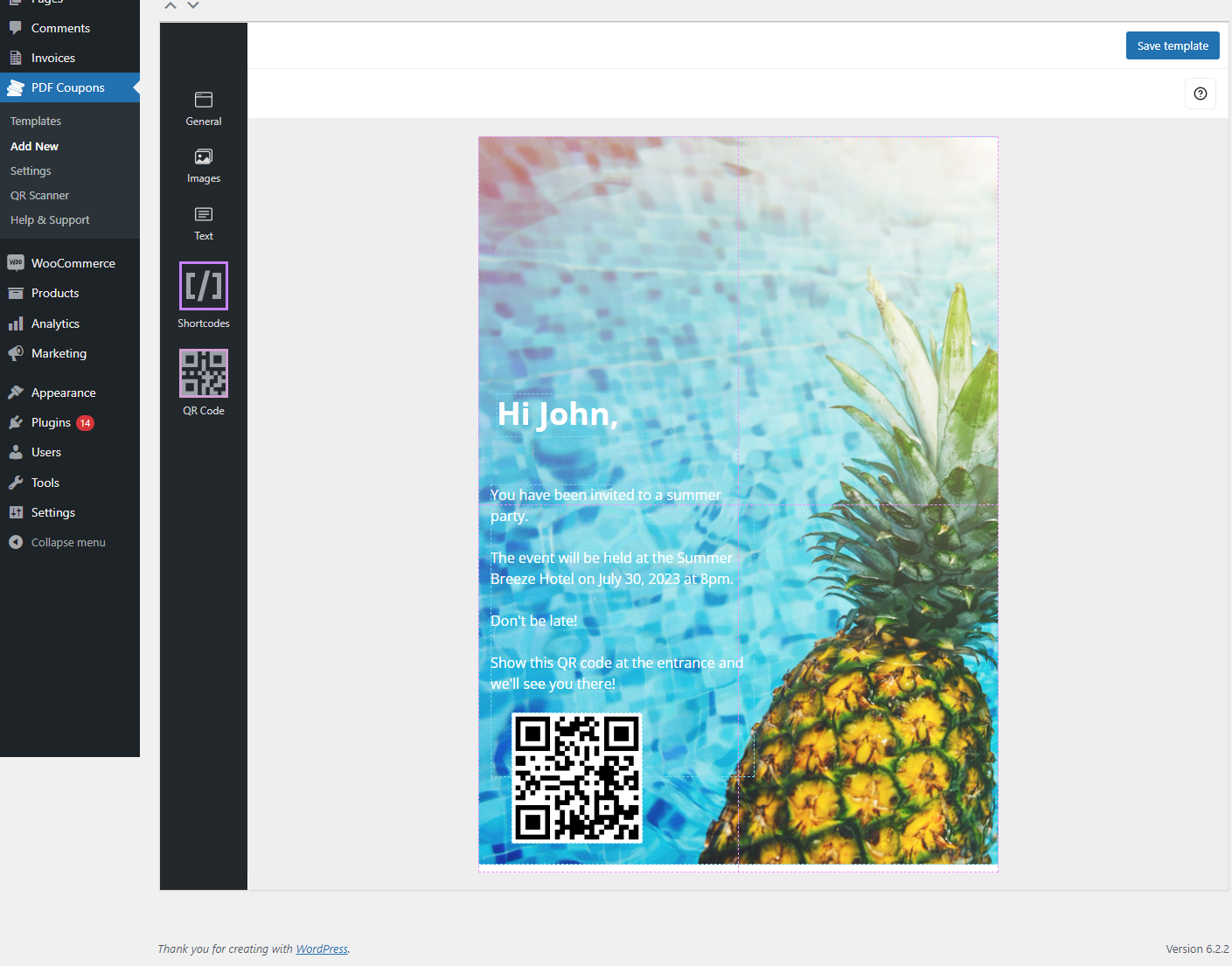
A PDF ticket with a QR code created using Flexible PDF Coupons PRO and the Event Ticket QR Scanner add-on.
Flexible PDF Coupons PRO provides the tools for designing and selling PDF products through WooCommerce. Its graphic editor lets you prepare a branded ticket layout with customized text, colors, images, and event information. The separate Event Ticket QR Scanner add-on generates QR codes and supports their validation.
Important: QR code generation and scanning are not features of the free plugin. This workflow requires Flexible PDF Coupons PRO together with the Event Ticket QR Scanner add-on.
Hosting a summer event with QR code ticketing
When admission depends on a valid ticket, searching through printed attendee lists can slow down the entrance. Paper records may also be difficult to update when orders arrive shortly before the event.
WooCommerce QR code ticketing creates a clearer workflow. Customers purchase admission through your online store, receive a PDF event ticket, and present its code at the venue. Staff can scan the QR code instead of manually looking for each guest’s details.
This setup can help a range of organizers and venues, including:
- music festival and concert organizers,
- clubs, theatres, and entertainment venues,
- companies hosting summer parties,
- gyms and studios running workshops or classes,
- spas and salons organizing special events,
- retail stores hosting product launches,
- marketplaces and community event organizers.
Because the ticket is built as a PDF template, you can adapt its appearance to the occasion. For example, a summer party invitation can include the venue, date, start time, admission instructions, organizer branding, and a clearly visible QR code.
How to create WooCommerce event tickets with QR codes
- Create your PDF event ticket template. Open the template editor in Flexible PDF Coupons PRO and prepare the ticket design. You can start with an existing layout or create a format suited to your event.
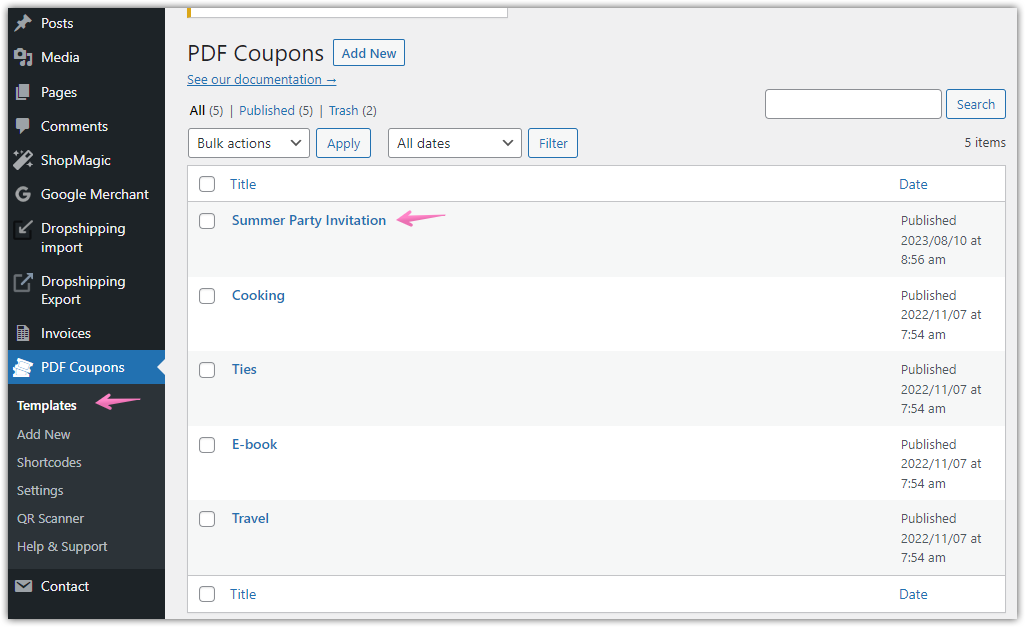
PDF templates created with Flexible PDF Coupons PRO.
- Customize the ticket content. Add the event name, date, venue, entry rules, contact instructions, and other information the attendee needs. Adjust the text, images, colors, and layout so that the PDF matches your event branding.
- Place the QR code in the design. Use the Event Ticket QR Scanner add-on to add a QR code to the admission ticket. Position it in a visible area with enough space around it to support convenient scanning.

Placing a QR code with the Flexible Coupons PRO Event Ticket QR Scanner.
- Connect the template to a WooCommerce product. Open the relevant product settings, enable the PDF coupon option, and select the event ticket template you created.

Assigning the PDF template to a WooCommerce event product.
- Save and publish the event product. Check the product name, description, ticket options, and WooCommerce settings before making it available to customers.
- Let WooCommerce process the order. After purchasing the event product, the customer receives access to the PDF admission ticket by email.
- Scan the ticket at the venue. The attendee can show the QR code on a mobile device or present a printed PDF. Event staff scan it to validate admission.
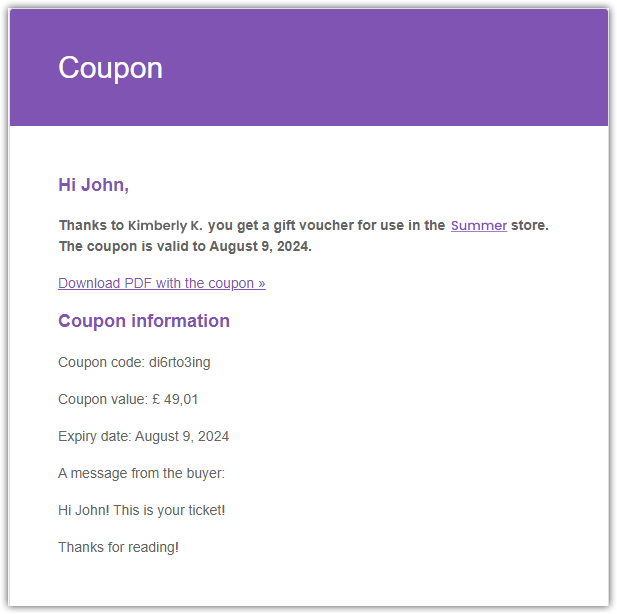
An admission ticket delivered by email after a WooCommerce purchase.
Benefits of QR code ticketing for summer events
1. Faster and simpler admission
Scanning a code is more practical than searching manually through printed lists. This can make the check-in workflow easier to manage, especially when several employees are responsible for the entrance.
2. Digital and printable ticket formats
Guests can display a PDF event ticket on a smartphone, while those who prefer a physical version can print it. This gives customers flexibility without requiring organizers to prepare and distribute traditional tickets themselves.
3. Ticket validation
The WordPress event ticket plugin add-on supports QR code generation and validation. This gives entrance staff a clear way to check whether a ticket should be accepted rather than relying only on its visual appearance.
4. Contactless check-in
An attendee can present the code directly from a mobile device. Staff do not need to handle the guest’s phone or collect a paper ticket, which helps maintain a smooth check-in process.
5. Branded PDF event tickets
A ticket is also part of the customer experience. With the Flexible Coupons graphic editor, organizers can create a consistent layout using their own text, colors, images, and event details instead of sending a generic admission document.
6. WooCommerce-based sales and delivery
The ticket is connected to a WooCommerce product, so it can fit into the store’s existing purchasing workflow. This is practical for merchants and venues already using WooCommerce to sell products, services, vouchers, or experiences.
7. Reusable templates
A carefully prepared layout can be adapted for future events. Update the date, venue, images, and event instructions while keeping the broader visual structure, helping your team save time when organizing recurring workshops, seasonal parties, or regular performances.
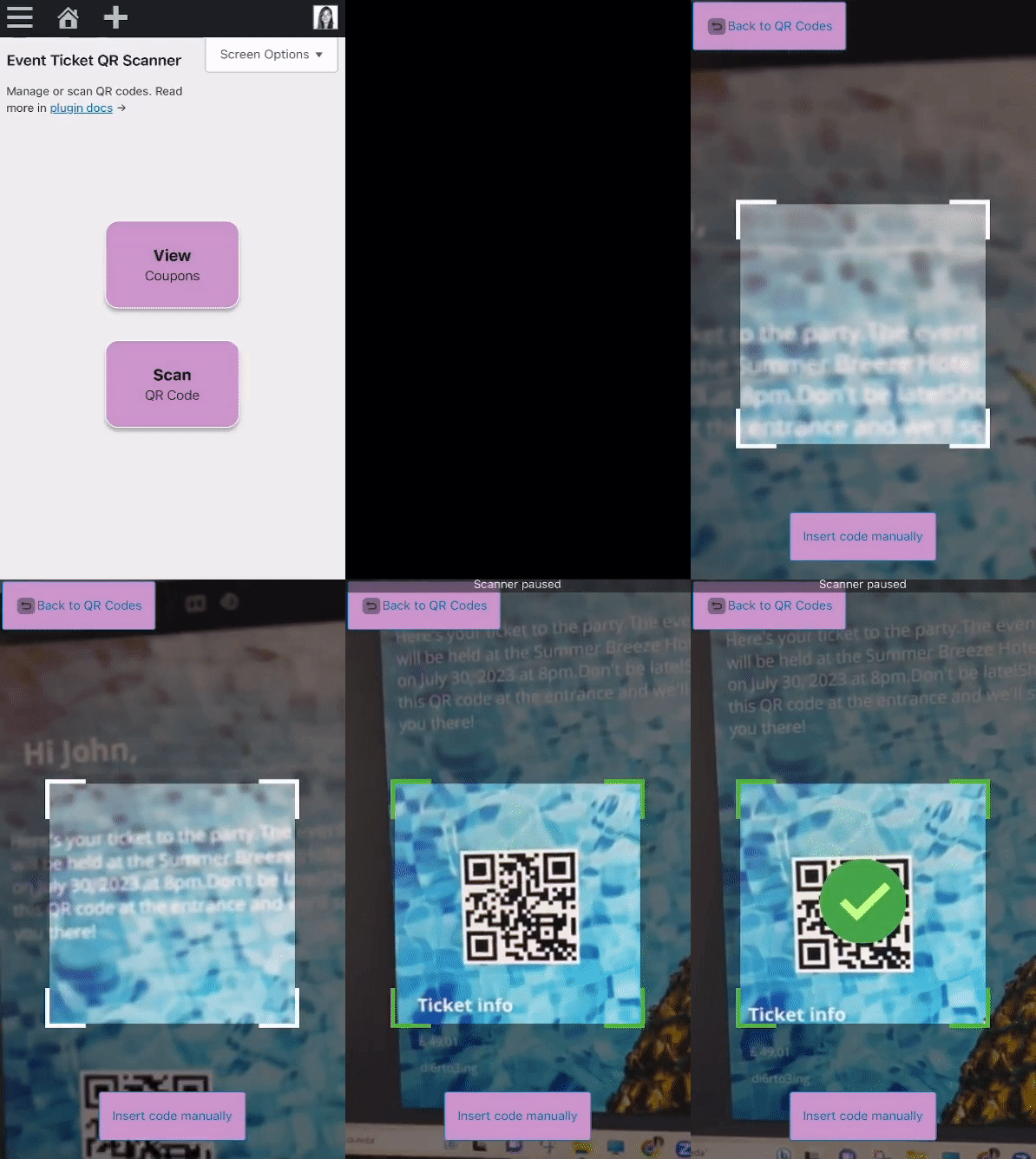
Scanning and validating a QR code with the Flexible Coupons PRO Event Ticket QR Scanner.
Practical QR code event ticketing checklist
Before publishing your summer event ticket, review the complete customer and admission journey:
- Confirm that the event name, date, time, and venue are correct.
- Add clear arrival and admission instructions.
- Make the QR code large enough and place it away from busy graphics.
- Check that the selected PDF template is assigned to the correct WooCommerce product.
- Place a test order and review the delivered PDF ticket.
- Test QR code scanning before the event.
- Prepare the scanning device and make sure entrance staff understand the validation process.
- Decide how your team will handle guests who cannot access their email or PDF at the entrance.
- Keep the ticket design readable on both mobile screens and printed pages.
Key takeaways about WooCommerce QR code ticketing
- QR code tickets can be displayed on a smartphone or printed as PDFs.
- Flexible PDF Coupons PRO lets you design and sell branded PDF event tickets through WooCommerce.
- The Event Ticket QR Scanner is a separate add-on used to generate and validate QR codes.
- The workflow can reduce dependence on manual paper guest lists.
- Branded templates can include event details, custom text, colors, images, and layouts.
- The solution can support festivals, parties, workshops, concerts, classes, and venue admissions.
- Testing the complete purchase, delivery, scanning, and validation process before the event is essential.
Summary: host your summer event with QR code ticketing
QR code ticketing gives WooCommerce merchants and event organizers a practical way to sell, deliver, and validate admission tickets. Customers purchase the event product online, receive a PDF ticket by email, and present its QR code at the entrance.
To build this workflow, use Flexible PDF Coupons PRO for WooCommerce to create and sell the PDF ticket. Add the Event Ticket QR Scanner when you need QR code generation and validation.
Together, these tools allow you to create branded WooCommerce event tickets without coding while maintaining control over the ticket design, customer delivery, and entrance workflow.
