




Import predefined coupon codes into WooCommerce and use them for branded PDF gift cards, vouchers, discounts, or tickets. The Coupon Codes Import add-on for Flexible PDF Coupons PRO replaces repetitive manual setup with reusable code lists, helping you control larger campaigns and work with codes supplied by partners.
This guide explains how the WooCommerce coupon importer works, which file formats it supports, and how to connect imported codes to coupon products in Flexible PDF Coupons PRO.
What is the coupon importer for Flexible PDF Coupons PRO?
The Coupon Codes Import add-on extends Flexible PDF Coupons PRO for WooCommerce. It lets you upload predefined coupon code lists and use those codes when generating PDF coupons.
You can import codes from the following supported file formats:
- CSV
- XLS
- XLSX
- ODS

Instead of relying only on automatically generated random codes, you can connect an imported list to a selected coupon product. When a PDF coupon is issued, our plugin uses an available code from that list and creates a redeemable WooCommerce coupon associated with the PDF voucher.
This workflow is useful when codes must follow an external naming structure or have already been prepared by a campaign partner, marketplace, venue, or another part of your business.
Why import coupon code lists into WooCommerce?
Creating coupons in WooCommerce one by one can become impractical when a campaign requires many unique codes. The importer lets you prepare the list outside WordPress and upload it in one operation.
This provides several practical benefits:
- Less manual work: there is no need to copy every code into WooCommerce separately.
- Consistent code structure: you can use codes prepared according to internal or partner requirements.
- Fewer input mistakes: bulk import reduces repetitive copying and editing.
- Better workflow control: separate lists can be assigned to different coupon products.
- Clear code availability: the interface shows how many codes from a list have already been used to generate coupons.
Flexible PDF Coupons can also generate coupon codes according to its configured code structure. The importer is an alternative for campaigns in which the codes need to be predefined.
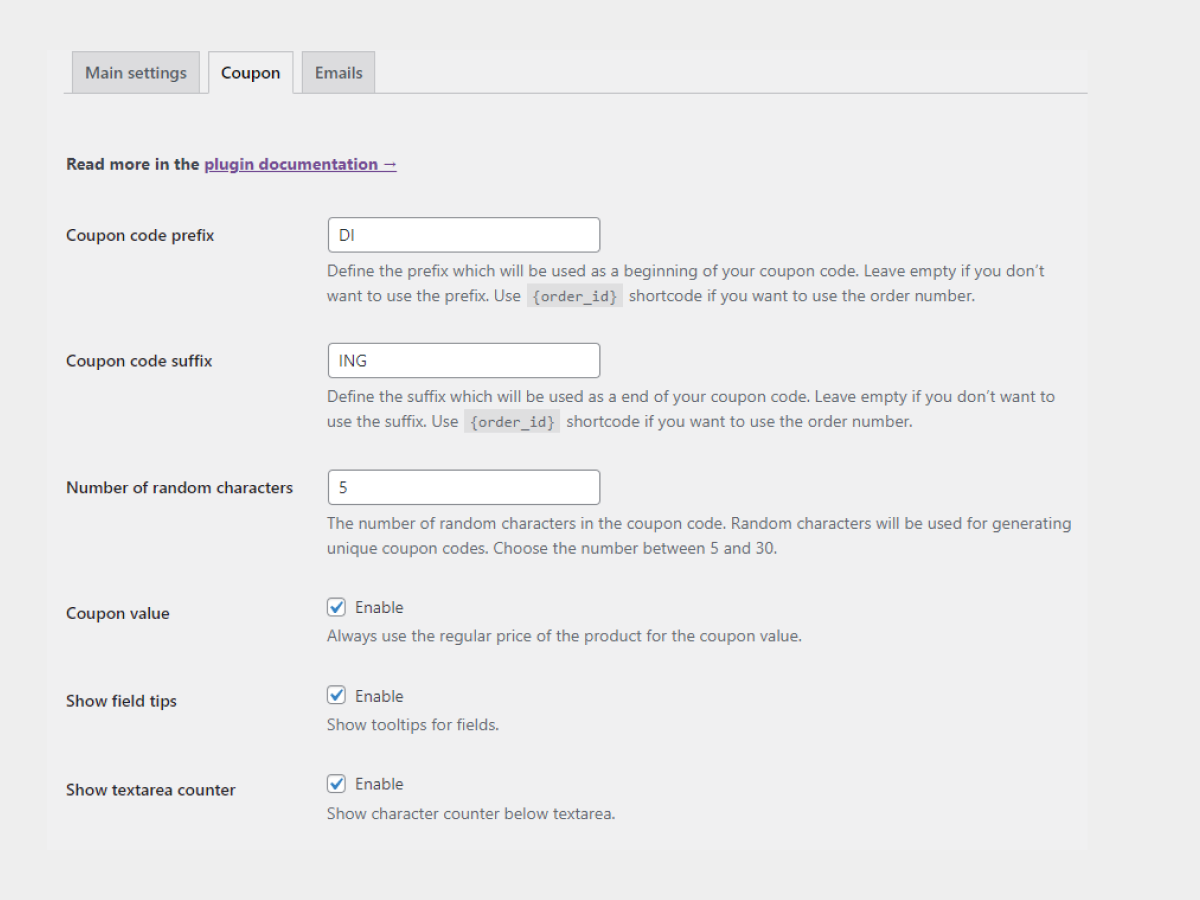
With the Coupon Codes Import add-on, a predefined list can be selected in the settings of a specific PDF coupon product.

How to import coupon codes into Flexible PDF Coupons PRO
Before starting, prepare a supported file containing your predefined codes. Check the list for unwanted spaces, empty rows, or duplicate values to make later management easier.
- In WordPress, go to PDF Coupons > Settings > Coupon > Predefined coupon codes.
- Select the CSV, XLS, XLSX, or ODS file containing the codes.
- Choose the relevant PDF coupon template and configure the available import settings.
- Run the import and review the resulting code list.
- Edit the appropriate WooCommerce coupon product and assign the imported list to it.
- Save the product settings and test the full purchase and redemption workflow.

You can create more than one imported list. This makes it possible to keep codes for separate products, partners, venues, or campaigns apart rather than managing every promotion in a single pool.
How the WooCommerce coupon importer improves code management
The importer provides a central view of predefined code lists and indicates how many codes have already been used for coupon generation. This helps store managers monitor the pool before it is exhausted and prepare another file when necessary.

The add-on also skips duplicate coupon codes instead of overwriting existing ones. This is particularly important when importing updated files or working with codes supplied by an external campaign partner.
Remember that the used-code counter relates to codes allocated during coupon generation. It should not be treated as the same thing as a report of completed redemptions at checkout.
Can imported WooCommerce coupons be customized?
Yes. Importing determines the code source, while the coupon product and template control how the voucher works and appears. You can configure the relevant coupon settings and prepare a branded PDF design for the customer.
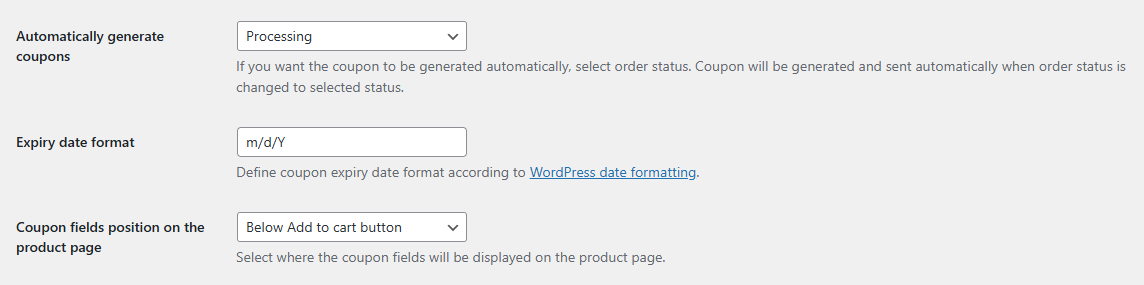
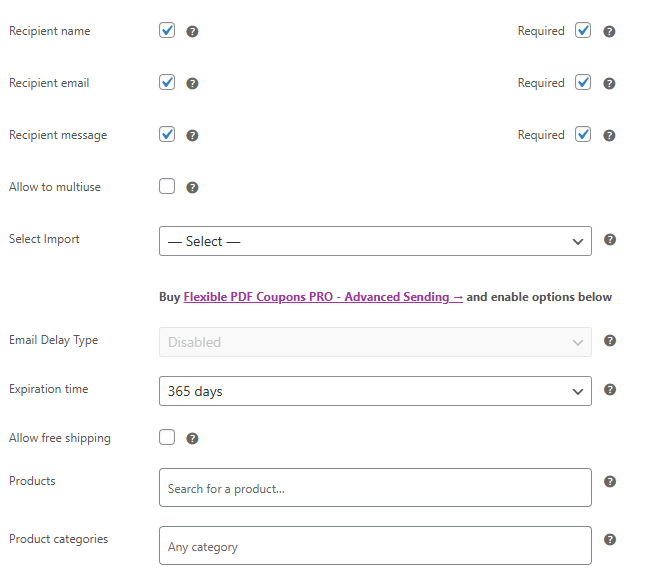
Depending on the coupon configuration, you can adapt the offer to a particular product or campaign. The PDF template can also be designed to match your brand, helping the recipient understand the value, purpose, and redemption details of the voucher.
After importing the list, select it in the settings of the relevant product:

WooCommerce coupon importer use cases
Predefined coupon codes are suitable for businesses that need to coordinate online vouchers with an existing campaign or external system. Typical applications include:
- Retail promotions: use an approved set of codes for a seasonal or product-specific campaign.
- Partner campaigns: import codes provided by a marketplace, supplier, or promotional partner.
- Salons, spas, and gyms: issue service vouchers or credits based on an existing code pool.
- Events and venues: connect predefined codes with PDF vouchers or event-related products.
- Offline giveaways: use the same structured codes in printed and online campaign materials.
- Customer retention campaigns: prepare separate code lists for selected customer groups or promotions.
For example, if a partner sends a spreadsheet containing 500 campaign codes, you can import the file, assign the resulting list to the appropriate coupon product, and let Flexible PDF Coupons use the available codes as customers purchase or receive vouchers.
Frequently asked questions about importing coupon codes
Can I import codes that already exist in WooCommerce?
The importer skips duplicate coupon codes rather than overwriting existing ones. Even so, it is good practice to review the source file and test the import with a small list before processing a larger campaign.
Do imported codes work in the standard WooCommerce coupon field?
Yes. Coupons generated from the imported codes are WooCommerce coupons, so recipients can enter the code in the standard coupon field during checkout, subject to the coupon’s configured restrictions and validity.
Does importing a file immediately create every coupon?
The imported file provides a pool of predefined codes. Codes from that pool are then used by the configured Flexible PDF Coupons product when coupons are generated. This avoids filling WooCommerce with every code before it is needed.
Can different products use different code lists?
Yes. You can create multiple predefined code lists and select the appropriate list in the settings of a specific coupon product. This supports separate campaigns without mixing their codes.
Is the coupon importer included in the free plugin?
No. Coupon Codes Import is a separate add-on and requires Flexible PDF Coupons PRO.
Flexible PDF Coupons PRO – Coupon Codes Import
Import predefined coupon codes from CSV, XLS, XLSX, and ODS files, then assign a selected code list to a Flexible PDF Coupons PRO product.
WP Desk
Summary: when to use the Flexible PDF Coupons PRO importer
- Use the importer when you already have predefined coupon codes in a supported file.
- Choose it for larger campaigns that would be inefficient to configure code by code.
- Create separate lists for different products, partners, venues, or promotions.
- Monitor how many imported codes have been used for coupon generation.
- Test the PDF, delivery, coupon restrictions, and checkout redemption before launch.
- Remember that Coupon Codes Import requires Flexible PDF Coupons PRO and is not part of the free plugin.
The coupon importer for WooCommerce gives you an efficient way to combine externally prepared codes with branded PDF coupons and standard WooCommerce redemption. If your workflow requires additional delivery or template options, you can also review our Flexible Coupons add-ons.
